
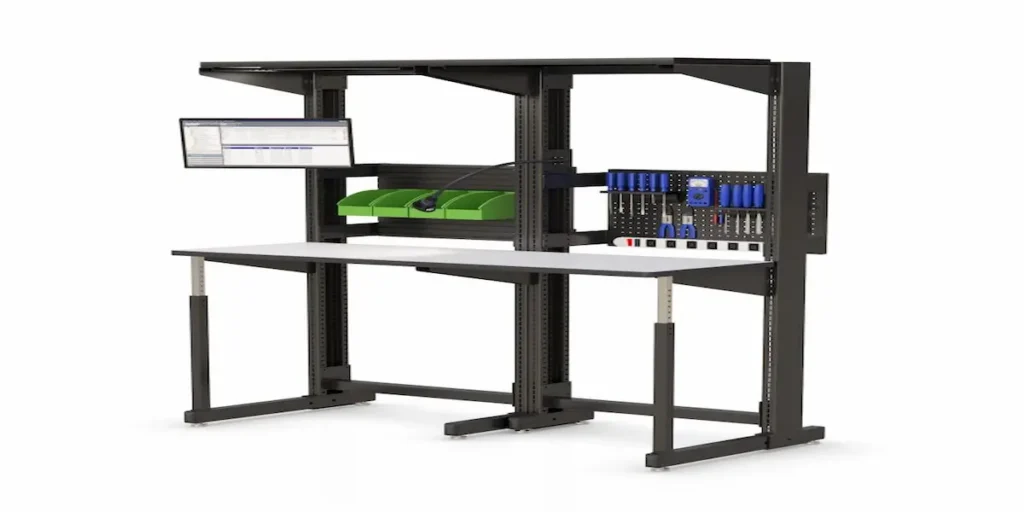
 How Do You Set Up a Computer Workbench for a Team That Shares It Across Shifts?
A computer workbench shared across multiple people or shifts creates a small daily friction point that’s easy to overlook until it becomes a real problem: someone has to readjust the height every time a new person sits down. If that adjustment takes too long or feels like a hassle, people tend to skip it. They just work at whatever height the last person left it, which leads to strain over a full shift.
An electronically adjustable workbench solves this, but only if it’s actually set up to make quick reconfiguration easy. That means going beyond just having the adjustability feature. You need to plan presets around the real people using the station.
Why Does Height Adjustment Matter More on a Shared Station?
You can set a workbench used by one consistent person once and leave it alone. A shared station is a different situation entirely. Different people have different heights, different preferences for sitting versus standing, and different comfort needs depending on the specific task they’re doing that day.
Without an easy way to adjust, most people either don’t bother, working at a height that isn’t right for them, or spend several minutes fumbling with a manual crank before they even start their task. Electronic controls remove that friction. But the setup around them determines whether people actually use the feature or ignore it out of habit.
How Do You Set Up Height Presets for Multiple Users?
Most electronically controlled workbenches, including the height-adjustable workbench with electronic controls, let you save and recall height settings with a single button press. Setting this up well means a few extra steps upfront:
Measure actual users, not averages. Rather than guessing at a “standard” height, have each regular user find their comfortable working height once and save it as their own preset. A generic average height often doesn’t fit anyone particularly well.
Label presets clearly. If multiple people share a station, label each preset by name or role instead of a number that means nothing to anyone but the person who set it. That cuts down on trial and error during shift changes.
Account for both sitting and standing needs. If the same person alternates between sitting and standing tasks throughout their shift, they may need two presets of their own, not just one.
What Should You Consider Beyond Just Height?
Height is the most obvious adjustment, but a few other things affect whether a shared computer workbench actually feels comfortable across different users.
Monitor position. If the desk pairs with a ceiling mounted monitor arm or a separate monitor bracket, confirm the screen’s height and distance adjust independently of the desk surface. Taller and shorter users often need different screen positioning even at the same desk height.
Keyboard and input placement. A fixed keyboard position that works for one person’s arm length may force another person into an awkward reach or wrist angle.
Footrest or standing mat availability. For workers who alternate between sitting and standing, having both options nearby makes the transition between presets more comfortable rather than just changing the desk height alone.
How Do You Handle Shift Changes Smoothly?
The best setups treat height adjustment as part of the shift-change routine, not an afterthought. A quick habit of adjusting to a personal preset at the start of a shift, the same way someone might adjust a car seat, keeps the process fast and consistent. It stops people from skipping it when they’re in a hurry.
Post a simple reference near the station showing which preset button corresponds to which person or role. This removes any guesswork during a busy shift handoff and helps new team members get comfortable with the system quickly.
What Happens If a Shared Workbench Isn’t Adjusted Properly?
When height adjustment gets skipped consistently, the effects show up gradually rather than all at once. Working at the wrong monitor height causes neck and shoulder strain. An awkward keyboard position causes wrist discomfort. General fatigue builds up over a full shift. People often attribute these issues to the job itself rather than tracing them back to an easily fixable setup problem. That’s why building the adjustment habit into the shift routine matters more than the adjustability feature alone.
Frequently Asked Questions
Can an electronically adjustable computer workbench save multiple height presets?
Yes, most electronic control systems allow users to save and recall specific height settings with a single button, making it easy to switch between users without manual measurement each time.
How many height presets should a shared computer workbench have?
This depends on how many people regularly use the station and whether they alternate between sitting and standing tasks, since some users may need more than one preset for themselves.
Does monitor height need to be adjusted separately from the workbench height?
Yes, ideally. A monitor mounted independently of the desk surface allows screen height and distance to be adjusted separately, which matters since users of different heights often need different screen positioning even at the same desk height.
What happens if a shared workbench isn’t adjusted between users?
Skipping adjustment typically leads to gradual strain, including neck, shoulder, or wrist discomfort, that builds up over a shift and is often mistaken for normal job fatigue rather than a fixable setup issue.
Should height adjustment be part of a shift-change routine?
Yes. Treating it as a quick habit at the start of each shift, similar to adjusting a car seat, keeps the process consistent and prevents people from skipping it when they’re in a hurry.