
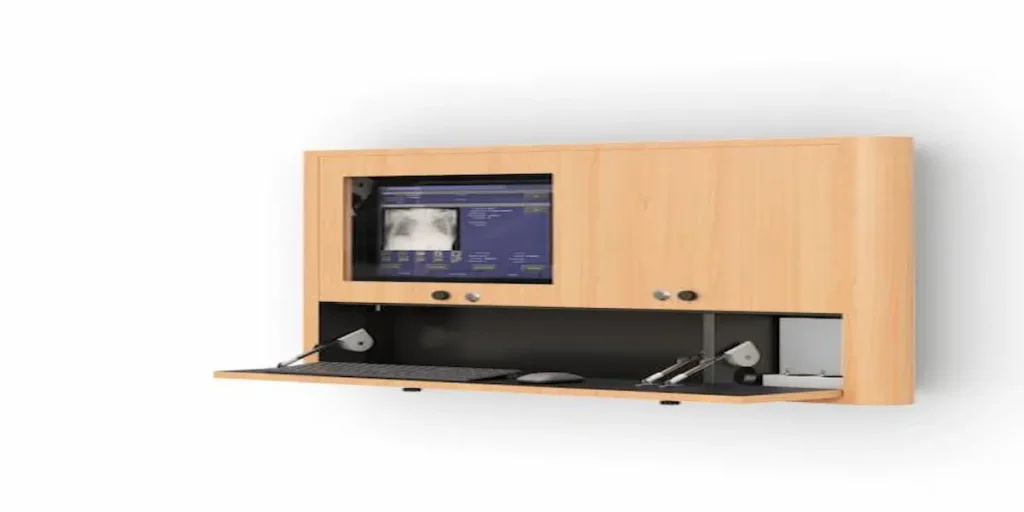
How Do You Prevent Overheating and Theft With a CPU Wall Mount?
Getting a computer tower off the floor and onto a wall mount solves the obvious problem: clutter, tripping hazards, and wasted floor space. But it introduces two issues people easily overlook until they cause a real problem. Enclosed or tightly positioned mounts can restrict airflow around the tower. A CPU sitting at eye level or within easy reach also becomes more exposed to tampering or theft than one tucked under a traditional desk.
Before installing a CPU wall mount, think through how the tower will actually breathe once it’s off the floor, and how accessible it will be to anyone walking past.
Does Mounting a CPU to a Wall Affect Airflow?
Yes, and this is one of the most commonly overlooked issues. A CPU sitting on the floor under a desk usually has open space around it for air to circulate. Once you mount it to a wall, especially inside a bracket or housing, that airflow can get restricted. It depends on how close the mount sits to the wall surface and whether the bracket lets air move freely around the vents.
Before installing, check where the tower’s intake and exhaust vents sit and confirm the mount doesn’t block them directly against the wall. A mount with open sides or a slight standoff from the wall surface generally allows for better airflow than one that presses the tower flush against a solid surface.
How Much Weight Should a CPU Wall Mount Support?
CPU towers vary quite a bit in weight depending on their components, especially with additional drives, power supplies, or expansion cards installed. A mount rated for a lightweight, minimal-configuration tower may not hold up over time under a heavier, fully loaded system.
Before choosing a mount, check the actual weight of the tower you’re installing, not just its general category. Confirm the mount’s rated capacity comfortably exceeds it. A mount operating near its maximum weight limit is more likely to loosen or fail over years of vibration and repeated adjustment than one with margin to spare.
How Do You Keep a Wall-Mounted CPU Secure?
Once a CPU sits at an accessible height, rather than tucked away under a desk, someone can more easily disconnect cables, remove drives, or in some environments, walk off with the entire tower. This matters more in shared or public-facing areas than in a locked office, but it’s worth considering regardless of setting.
A few approaches help reduce this risk:
- Locking brackets or enclosures. Some CPU wall mounts include a locking mechanism that secures the tower to the bracket itself, preventing quick removal.
- Cable routing through the mount. Running cables through the mounting hardware rather than leaving them loosely accessible makes casual tampering more difficult.
- Placement away from high-traffic public areas. Position the mount in a spot accessible to authorized staff but not exposed to general foot traffic. That reduces opportunistic tampering.
Where Should a CPU Wall Mount Be Positioned Relative to the Desk?
Positioning affects both usability and airflow. Mounting the CPU too close to a wall mounted computer desk surface can restrict access for cable changes or maintenance. Mounting it too far away creates longer cable runs that are more prone to snagging or accidental disconnection.
A common approach positions the CPU mount slightly below or beside the desk surface, close enough for short cable runs to the monitor and keyboard, but with enough clearance around all sides for airflow and occasional access. If the setup also includes a ceiling mounted monitor arm, keep the CPU mount at a consistent, predictable position nearby. This makes the whole station easier to service without hunting for where cables run.
Does a CPU Wall Mount Replace the Need for a Cabinet?
Not necessarily. A CPU wall mount holds the tower in place and gets it off the floor, but it doesn’t enclose or protect it from dust or moisture the way a computer cabinet does. In environments with airborne contaminants or wash-down cleaning procedures, an enclosed cabinet with proper ventilation fits better than an open wall mount, even though both technically keep the tower off the ground.
Frequently Asked Questions
Does mounting a CPU to a wall reduce airflow?
It can, depending on the bracket design and how close the tower sits to the wall. Checking vent placement and choosing a mount with a slight standoff from the wall helps maintain proper airflow.
How do I know if a CPU wall mount can support my tower’s weight?
Check the actual weight of your specific tower configuration, including installed drives and expansion cards, and confirm the mount’s rated capacity exceeds it with some margin.
Can a CPU wall mount be secured against theft or tampering?
Yes, some CPU wall mounts include locking brackets or enclosures, and routing cables through the mount itself also makes casual tampering more difficult.
Where should a CPU wall mount be positioned relative to the desk?
Close enough to the desk for short, manageable cable runs to the monitor and keyboard, but with enough clearance on all sides for airflow and occasional maintenance access.
Is a CPU wall mount enough protection in a dusty environment?
Not usually. A wall mount keeps the tower off the floor but doesn’t enclose it, so environments with dust or moisture concerns are better served by an enclosed computer cabinet instead.