
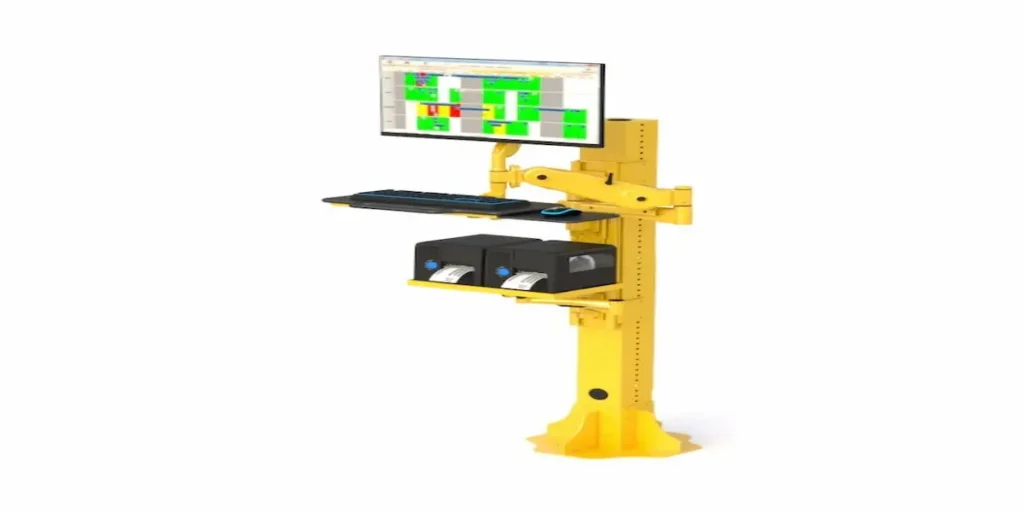
How Do You Standardize Industrial Workstations Across an Entire Facility?
Setting up one industrial workstation is a fairly contained decision. Setting up ten, or fifty, across different departments and shifts is a different problem entirely. What starts as “let’s just order a few more of what we already have” often turns into a mismatched mix of desks, mounts, and carts bought at different times for different reasons, none of which talk to each other or share replacement parts.
The facilities that get this right treat it as a standardization problem, not a series of one-off purchases. That means picking a small number of workstation formats that cover most of your use cases, rather than customizing every single station individually.
Why Does Standardizing Workstations Matter at Scale?
When every department orders its own version of a desk, mount, or cart, a few problems show up fast. Maintenance teams have to stock replacement parts for multiple incompatible systems instead of one. Training becomes inconsistent because every station behaves a little differently. And when equipment eventually needs replacing, there’s no clear pattern to follow, so the same fragmented buying happens all over again.
Standardizing on a small set of workstation types, even if you still need variation across departments, makes long-term maintenance, budgeting, and training dramatically simpler.
How Many Different Workstation Types Do You Actually Need?
Most facilities can cover the majority of their needs with just three formats, used consistently across departments:
A fixed option for stations where the same task happens in the same spot every day, using something like a wall mounted computer desk or a stationary industrial workbench.
A mobile option for roles that move between areas throughout a shift, covered by a mobile cart system.
A space-saving option for tight footprints or shared aisles, using a ceiling mounted monitor arm paired with a CPU wall mount to keep the floor completely clear.
Trying to cover every department with a single universal design usually backfires, since a fixed desk doesn’t work for a mobile role and a cart doesn’t make sense for a permanent inspection point. The goal isn’t one design for everyone, it’s a short, deliberate list instead of dozens of one-off exceptions.
How Do You Decide Which Departments Get Which Format?
Walk through each department or role and ask two questions: does the work happen in one place or across multiple areas, and does the environment involve dust, moisture, or heavy equipment that needs enclosed protection.
Departments with consistent, stationary tasks, like inspection points or dedicated repair stations, typically fit the fixed format. Roles that move constantly, like maintenance or quality control walking a floor, fit the mobile format better. And any station near dust, moisture, or contamination-sensitive work should pair whichever base format you choose with computer cabinets built for controlled environments, regardless of whether it’s fixed or mobile.
What Should You Budget for When Outfitting Multiple Stations?
Beyond the upfront cost of the units themselves, a few things get overlooked when planning a larger rollout:
- Replacement parts and serviceability. Standardized formats mean fewer unique parts to stock, which lowers long-term maintenance costs.
- Installation time per station. Wall and ceiling mounts typically require more upfront installation work than mobile carts, which matters if you’re outfitting many stations at once.
- Training consistency. Fewer formats mean staff can move between stations without relearning a new setup each time.
- Future scaling. Choosing formats that are easy to replicate makes it simpler to add more stations later without starting the decision process from scratch.
What Does a Standardized Rollout Look Like in Practice?
A facility outfitting an entire floor might settle on two or three formats total: a fixed wall mounted desk for permanent inspection points, a mobile cart for roving maintenance staff, and a ceiling mounted monitor arm with CPU wall mount for high-traffic aisles where floor space can’t be spared. Every station that fits one of those categories uses the same format, which keeps parts, training, and future purchasing simple, even as the number of stations grows.
Frequently Asked Questions
Should every department in a facility use the same workstation format?
Not necessarily the same exact format, but standardizing on a small number of formats (rather than a unique setup per department) simplifies maintenance, training, and future purchasing.
How many workstation types does a typical facility need?
Most facilities can cover their needs with two to three formats: a fixed option, a mobile option, and a space-saving option for tight or high-traffic areas.
What’s the biggest cost overlooked when outfitting multiple industrial workstations?
Installation time and long-term parts availability are commonly overlooked, since standardized formats reduce both far more than unit price alone suggests.
Can mobile and fixed workstations coexist in the same facility?
Yes, most facilities use both, assigning fixed stations to consistent, single-location tasks and mobile stations to roles that move between areas.
How do you scale a workstation setup as a facility grows?
Choosing a small number of standardized formats from the start makes it easier to replicate the same setup for new stations without re-evaluating every purchase individually.